Prodotti
-
CSS Electronics - ISOBUS DBC File - Decode Tractor Data [ISO 11783-7 Database]0,00 €
The ISOBUS DBC file contains decoding rules for converting raw CAN bus data to 'physical values' (m/s, %, ...). This lets you easily decode data from agriculture vehicles like tractors.
DBC is a CAN database format used in most automotive tools - incl. our CAN software/APIs.
The download includes the ISOBUS DBC and Excel file based on the public ISO 11783-7 PGN/SPN data. The cost is a one-time fee.
See also our J1939 DBC and NMEA 2000 DBC, both of which can be relevant in agriculture vehicles.
-
CSS Electronics - J1939-73 DBC File - Heavy Duty Diagnostics (DM1, DM2, ...)0,00 €
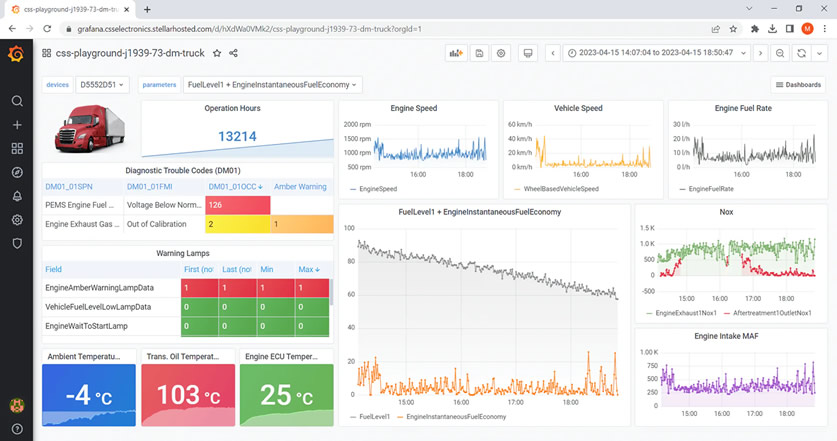
The SAE J1939-73 DBC file contains decoding rules for converting 'version 4' J1939 diagnostic messages (DM1, DM2, ...) to 'physical values'. This lets you identify issues in e.g. trucks, tractors and buses.
DBC is a CAN database format used in most automotive tools - incl. our CAN software/APIs.
The download includes a legal J1939-73 DBC and license, based on the J1939-73 PDF standard (also included). We offer this in collaboration with SAE.
-
CSS Electronics - IP67 Enclosure Kit for CANedge [DTM06-12SA Connector]0,00 €
The IP67 enclosure kit is a plug & play solution for your CANedge CAN bus data logger - making it 100% dust-tight and waterproof.
Simply mount your CANedge onto the end plate PCB and slide it into the IP67 enclosure. The IP67 DTM06-12SA connector exposes all CANedge pins - with optional adapters including our DTM06-12SA-DB9/DB9 adapter and DTM06-12SA connector kit.
The kit includes all you need for your installation and can be used with both the CANedge1, CANedge2 and CANedge3.
-
CSS Electronics - DTM06-12SA-DB9/DB9 Adapter [CANedge IP67 Enclosure]0,00 €
Want to install your CANedge in our IP67 enclosure - yet still be able to use our DB9 adapter cables?
If so, this DTM06-12SA-DB9/DB9 adapter is the ideal solution. It converts the DTM06-12SA connector of our IP67 enclosure to two DB9 male connectors matching the pinouts of the CANedge CH1/CH2 DB9 connectors.
This means that you can directly use any of our DB9 adapter cables out-the-box for quick, flexible installation and testing.
-
CSS Electronics - CANsub.2: 2 x CAN Bus Interface (USB + Ethernet)0,00 €
This 2 x CAN FD interface lets you stream CAN bus data in real-time via USB/Ethernet - with pro specs, built-in LCD display and zero software installation.
The free webCAN app is hosted offline on the CANsub - simply enter the device URL in a browser to start. This lets you instantly send/receive CAN frames, DBC decode data and plot CAN signals from any connected PC, tablet or phone.
The device provides an open REST/WebSocket API that lets you easily build 3rd party apps - with plug & play integrations for e.g. Python and SavvyCAN.
Ideal for CAN bus diagnostics, OEM development, field service, automation, sniffing and dashboards.
Need 4 x CAN? See the CANsub.4!
-
CSS Electronics - CANsub.4: 4 x CAN Bus Interface (USB + Ethernet)0,00 €
This 4 x CAN FD interface lets you stream CAN bus data in real-time via USB/Ethernet - with pro specs, built-in LCD display and zero software installation.
The free webCAN app is hosted offline on the CANsub - simply enter the device URL in a browser to start. This lets you instantly send/receive CAN frames, DBC decode data and plot CAN signals from any connected PC, tablet or phone.
The device provides an open REST/WebSocket API that lets you easily build 3rd party apps - with plug & play integrations for e.g. Python and SavvyCAN.
Ideal for CAN bus diagnostics, OEM development, field service, automation, sniffing and dashboards.
Need 2 x CAN? See the CANsub.2!
-
Embedded Wizard0,00 €
La GUI Embedded Wizard è una soluzione software completa che consente di gestire il ciclo di sviluppo di una interfaccia grafica in modo:
• Semplice • Veloce • Intuitivo
-
Embedded Wizard - Platform Packages0,00 €
Your GUI on Multiple Devices
To execute the created GUI application within an embedded system, the following prerequisites have to be fulfilled: The application has to be translated in a programming language, which can be compiled with the target system compiler (e.g. ANSI C).
All used resources (e.g. fonts or bitmaps) have to be stored in a color format and resolution supported by the target graphics platform.
All drawing functions (e.g. for drawing lines, transferring bitmaps, …) necessary for displaying components have to be available. An adaptation layer has to adapt the GUI application to the environment (e.g. to get access to the memory management, timer and the operating system).
These tasks are solved by the Platform Package.
A Platform Package contains on the one hand a set of extension modules for the Embedded Wizard and on the other hand a set of libraries, which are used within the target system. -
Embedded Wizard - Free Demo0,00 €
Stunning GUI Demos
Embedded Wizard is TARA Systems’ embedded GUI technology that enables you to create platform-independent and high-performance graphical user interfaces (GUI), even on resource constrained microcontrollers.
Millions of devices and applications from various industries rely on Embedded Wizard. Discover how Embedded Wizard can help you get your project jumpstarted.
Per maggiori informazioni
www.embedded-wizard.de -
PROFIBUS Master Simulator0,00 €
The Master Simulator is an easy to use tool to test the PROFIBUS functionality of any fieldbus device. Two versions are available, one basic version for PROFIBUS-DP only, and a full version for both PROFIBUS-DP and DPV1.